Meeting Translation: Live Subtitles vs. Real-Time Interpretation for Any Meeting

Meeting Translation: Live Subtitles vs. Real-Time Interpretation for Any Meeting
Meeting translation turns what each participant says into another language while the meeting is still happening, either as live subtitles on a screen or as spoken interpretation delivered in near real time. No single format wins for every meeting: live subtitles are the better fit when participants need a verbatim, reviewable record, and spoken interpretation fits when people must reply quickly and keep eye contact.
Key answers at a glance
- **What is meeting translation?** Speech recognition plus machine translation that converts each utterance into a chosen language live, shown as text or read aloud. - **Live subtitles or spoken interpretation?** Choose subtitles when the record matters; choose spoken interpretation when the conversation flow matters. - **Does it replace a human interpreter?** No. Treat it as a practical aid, and keep certified human interpreters for legal, medical, and contract-critical settings. - **Free or paid?** Free tiers are for testing fit; paid plans are where you get longer sessions, more language pairs, full transcripts, and privacy terms you can actually review.
How meeting translation works
Meeting translation runs on a three-step loop: capture the speech, transcribe it into text, and translate that text into the language each participant selected. Modern AI tools do this continuously, splitting the conversation into utterances so that a translated version of what was just said appears within seconds.
The result reaches participants in one of two output forms: as text overlaid on the conversation, or as synthesized voice that speaks the translation aloud. Many tools also keep the underlying bilingual text as a transcript, which turns the meeting into a written record in both languages. Accuracy depends most on audio quality, speaker accents, domain jargon, and how clearly people take turns.
The two formats: live subtitles vs. simultaneous-style interpretation
Live subtitles show the translation as text on a screen; spoken interpretation delivers it as voice, sentence by sentence. Each format is better at a different job, so the choice should follow the meeting, not the tool.
Live subtitles (captions)
Live subtitles display each utterance in the reader's own language as text. Their main strength is precision: the words stay on screen, so participants can re-read a tricky sentence, catch a number, and scroll back through what was said without interrupting anyone.
Subtitles are the right default for meetings where people mostly listen and follow: team updates, workshops, presentations, training sessions, and webinars. They also suit multilingual groups because each participant can read the same session in their own language. The trade-off is attention: reading splits your focus, and a captioning delay of a few seconds means the discussion runs slightly ahead of what you are reading.
Simultaneous-style spoken interpretation
Spoken interpretation translates each utterance and reads it aloud as soon as the speaker finishes, so you hear the meeting in your language instead of reading it. This preserves natural turn-taking: you can answer immediately, keep eye contact, and notice tone and hesitation in a way that text hides.
This format fits conversations where the exchange itself is the point: one-on-one client meetings, negotiations, interviews, and sales calls. The trade-offs are the mirror image of subtitles: spoken output is harder to re-check, ambient noise can bury the voice, and you still need a separate transcript if you want a written record afterward.
Which format fits which meeting scenario
The scenario decides the format. Use this rule of thumb: if participants need to answer quickly and read the room, choose spoken interpretation; if they need to follow along and keep the record, choose live subtitles.
| Meeting scenario | Better fit | Why in one sentence | | --- | --- | --- | | One-on-one client negotiation | Spoken interpretation | Replies must come fast and eye contact matters. | | Sales call or interview | Spoken interpretation | Turn-taking is the core of the conversation. | | Multilingual team standup | Live subtitles | Everyone follows at their own pace in their own language. | | Workshop or training | Live subtitles | Participants need to re-read steps and terms. | | Presentation or webinar | Live subtitles | It is mostly one-way listening with Q&A. | | In-person meeting at a table | Either, by conversation style | Flowing dialogue favors voice; a written deliverable favors captions. | | Meeting you only have as a recording | Post-meeting transcript | The session is over, so the output should be readable and searchable. |
Before you pick a tool, run one quick test: ask whether participants mostly need to speak or mostly need to follow. A meeting that is 80 percent dialogue needs interpretation; a meeting that is 80 percent listening needs captions.
Free vs. paid: what the money actually buys
Free meeting translation is enough to validate that a tool understands your speakers and your language pair; paid plans are where the practical constraints of real meetings get solved. The one-sentence version: free tiers prove the concept, paid tiers handle the time, the languages, and the record.
Typical differences between free and paid tiers fall into a few buckets:
- **Session length and minutes.** Free tiers usually cap how long a single session can run or how many minutes you get per month; paid plans lift those limits for full-day or recurring meetings. - **Language coverage.** Free access often covers the most common pairs, while less common combinations and additional languages tend to sit behind paid plans. - **Transcript and export.** Free tiers may keep a transcript only for the current session or restrict sharing; paid plans usually let you export, edit, and reuse the bilingual record. - **Privacy and support.** Paid tiers tend to come with clearer data terms and faster support, which matters when meeting content is commercially sensitive.
Do not pay for features before you have tested accuracy on your own speakers. A tool that sounds generous on paper but stumbles on your accent or jargon is not a bargain at any price. Prices vary widely across tools and change often, so treat published pricing as a starting point rather than a decision on its own.
One concrete example of a subtitle-style setup
For an in-person bilingual meeting where a written record matters, one concrete example is Felo Translator, a mobile app that markets a bilingual meeting mode built for this subtitle-style setup. The company describes it as live bilingual subtitles: you choose the language each side speaks, place one phone on the table, and the app shows what is said in both languages while building a bilingual transcript you can read, edit, and share afterward, across 16 languages.
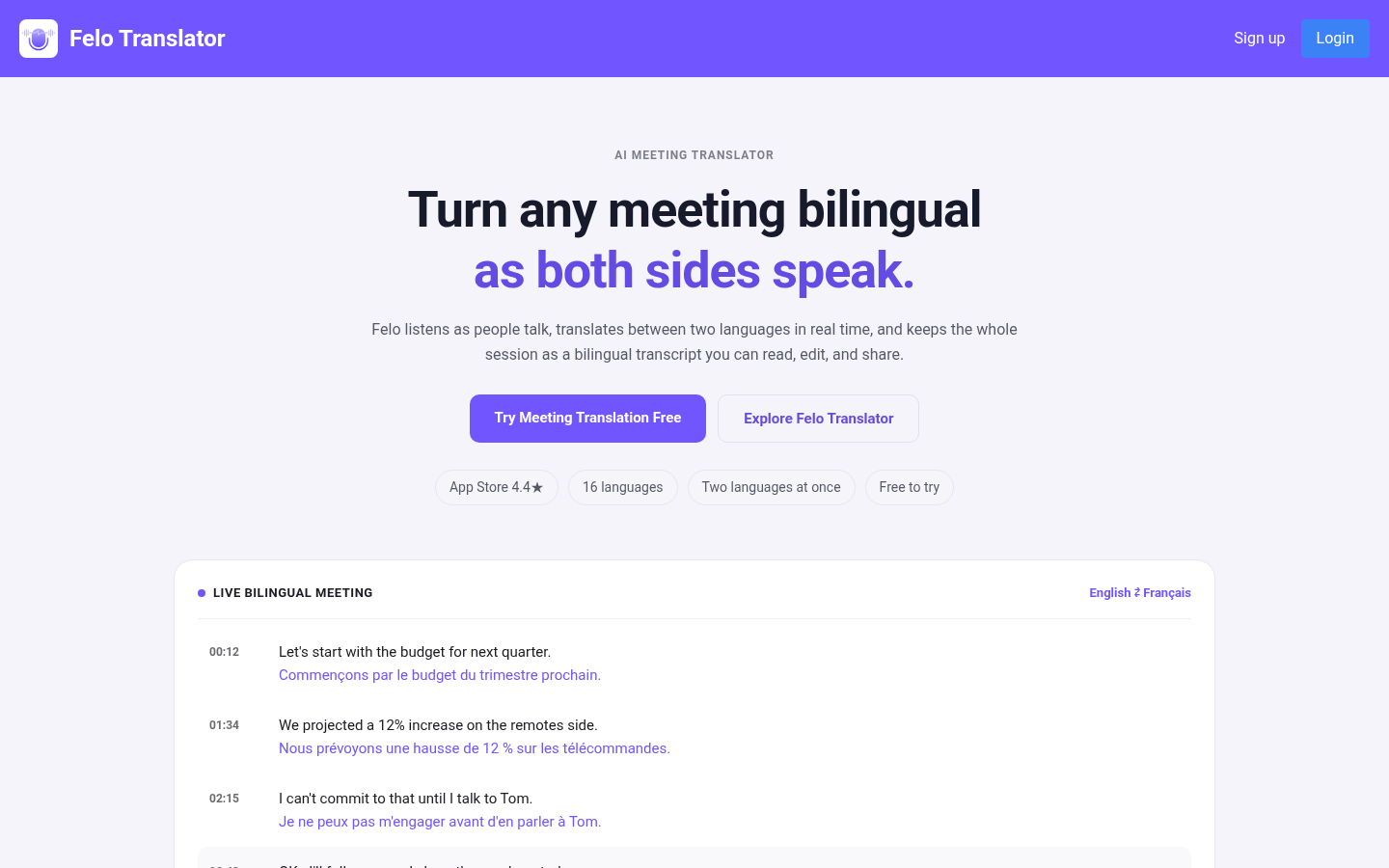
*Meeting translator use case page showing live bilingual subtitles in business meetings*
The same setup accepts two capture paths: a live session in the room with no cables or configuration, or an existing recording that you translate after the fact. The app does not join the online call as a participant; the company positions it as never putting a bot in your meeting. It is free to try, with time-based paid plans, which matches the pattern above: free to validate, paid when the meeting load becomes real.
That example is not the only valid answer, and it is not a universal recommendation. It simply shows what the subtitle column of the scenario table looks like when a specific product implements it.
When meeting translation is not the right tool
AI meeting translation is not a replacement for certified human interpretation in high-stakes settings. For legal proceedings, medical consultations, contract negotiations with binding language, or any situation where a mistranslation carries real cost, use a qualified human interpreter and treat any machine output as an informal aid at most.
Machine meeting translation also struggles where humans still excel: overlapping speech, heavy accents, low audio quality, and culturally loaded phrasing. When those are the norm in your meetings, budget for a human interpreter or improve the audio conditions before relying on automation.
FAQ: direct answers to common follow-up questions
Choosing how to translate a meeting
**Is meeting translation really live?** Yes, in the practical sense: modern tools translate each utterance within seconds of it being spoken, with a small delay that varies by tool and audio quality.
**What is the difference between meeting translation and meeting transcription?** Transcription writes down what was said in the original language; translation converts what was said into another language. Many tools do both at once and return a bilingual transcript.
**Are live captions the same as meeting translation?** Live captions are one delivery format for meeting translation. When captions are translated, they are meeting translation; when they only repeat the original language verbatim, they are transcription.
Setup, privacy, and cost
**Does everyone in the meeting need to install software?** Not necessarily. Platform-native captioning needs nothing beyond the meeting tool you already use, while dedicated translation apps usually require one device or one organizer account, depending on the product.
**Can I translate a meeting that was already recorded?** Yes. Most meeting translation tools accept an existing audio or video recording and return a translated transcript, which is useful for meetings you joined late or missed entirely.
**Are my meeting conversations used to train AI models?** Data practices differ by provider. If meeting content is sensitive, check each tool's stated data policy before use, and prefer tools whose terms you can actually review.
Accuracy and limits
**How accurate is machine meeting translation?** Accuracy is good on clear speech in common language pairs but drops with accents, jargon, numbers, and overlapping talk. Test on your own speakers before relying on it for important meetings.
**Which languages does meeting translation support?** Support sets differ by tool. Most cover a core group of major languages, and less common pairs are the first thing to verify before you commit to a product.
**When should I use a human interpreter instead of meeting translation?** Use a certified human interpreter for legal, medical, and contract-critical conversations, or whenever a mistranslation would be more expensive than the interpreter.

Comments